-

Welcome to Caddie Online Training
-
You can purchase a course and gain instant access by using either the PayFast or Revolut links below. Just click on the course title for instant enrolment. The initial enrolment period is for a specified number of weeks, when this lapses an administration charge is made to extend the enrolment period to enable course completion. On successful course completion you will have unlimited access to your course.


To purchase an available course, click a title below:
If you do not already have a login for our learning site you will be prompted to set up a profile with your email and password during the payment process.
Where the list of online courses appears you will notice an 'i' and a 'P' next to the title. Clicking the 'i' will display the course overview.
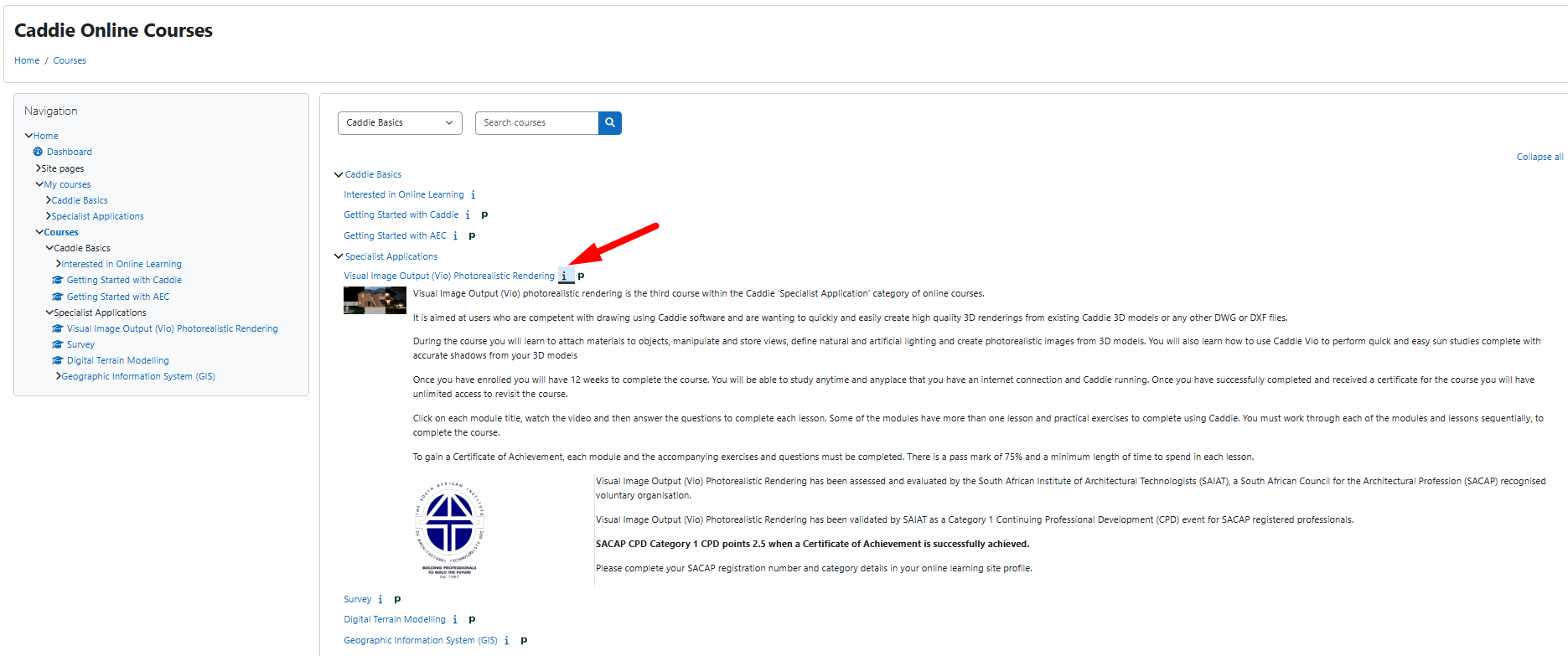
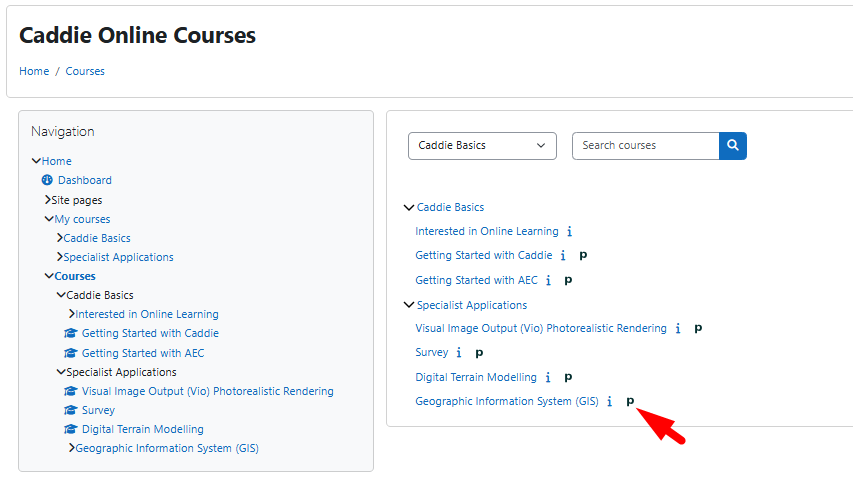
The 'P' indicates that the course can be purchased instantly using Payfast or Revolut.
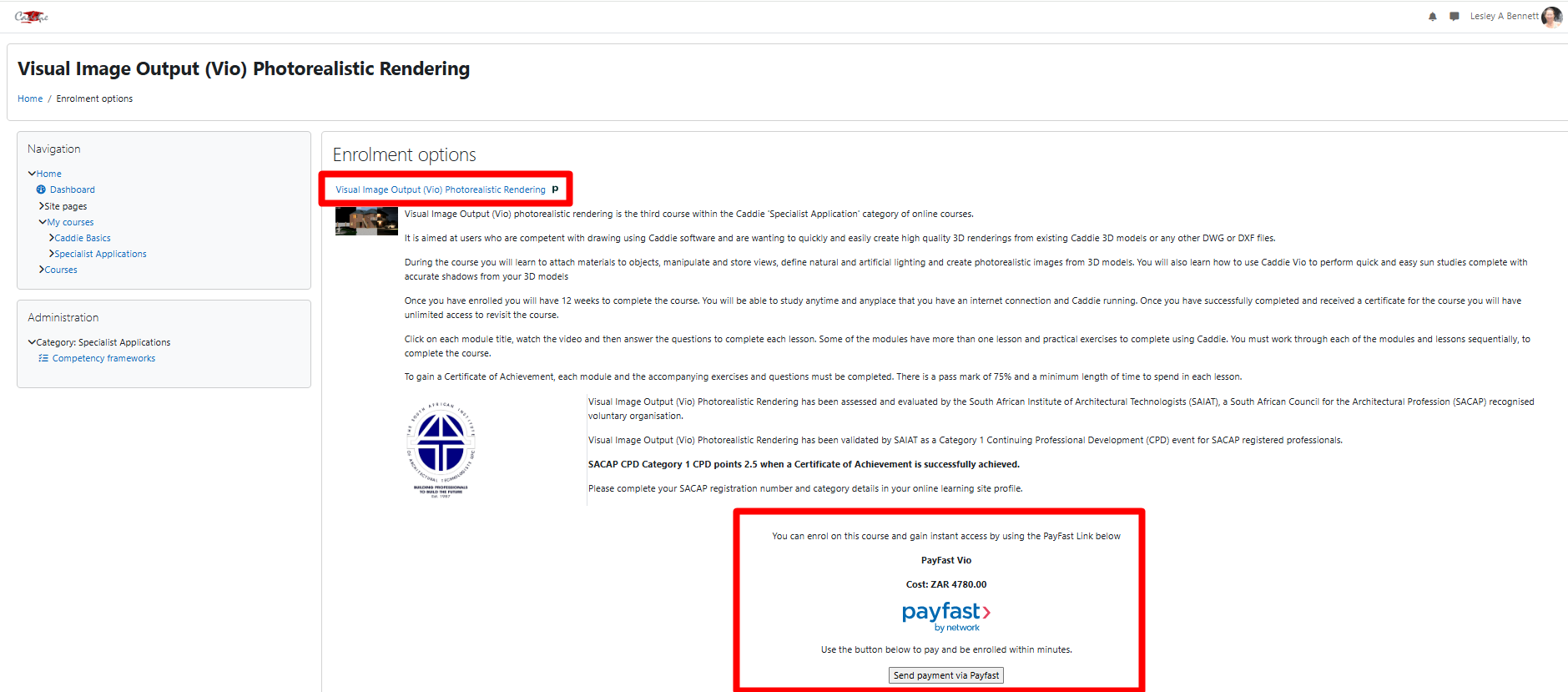
Once you select the 'Send payment....' option, you will see the following ways to pay and purchase your online course, getting instant access.
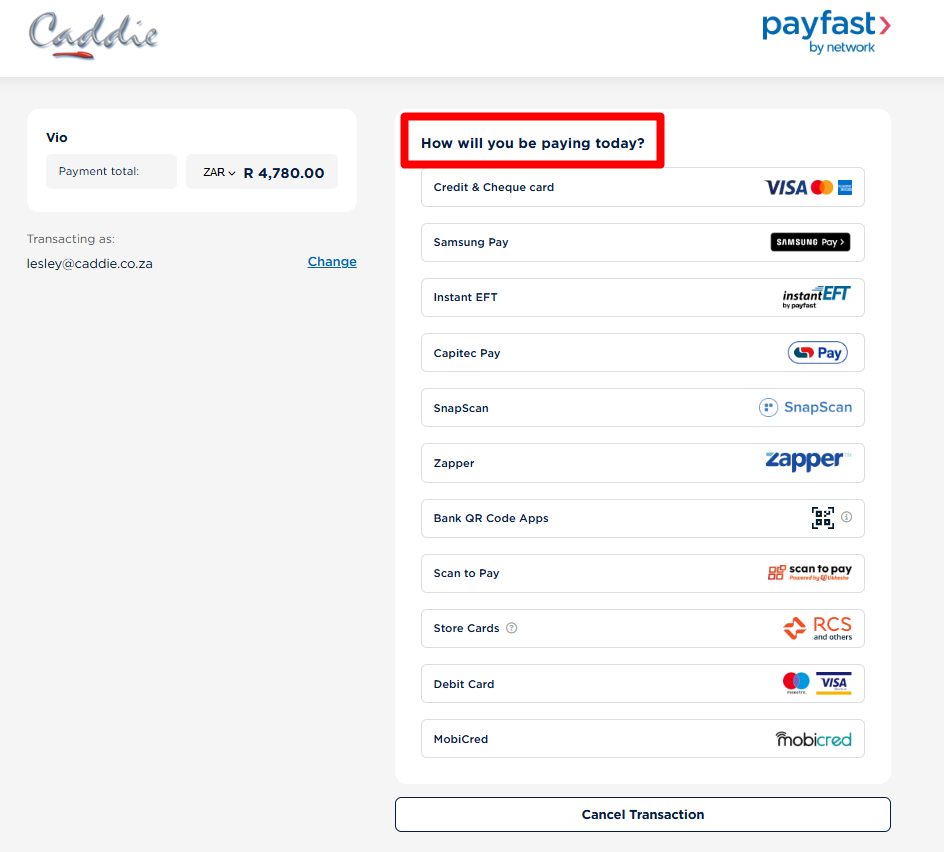
Payfast is calculated in South African Rand (R) and Revolut is calculated in Great British Pounds (GBP).
If you choose the offline payment, we will send an invoice including a link to pay. This will mean a delay whilst the payment is verified.
-
In this guide, you will be introduced to the basics of using the online Caddie Training hosted by Moodle, a Learning Management Systems (LMS).
Aims
• To prepare you for using an online learning environment.
• To create an educational environment for Caddie users.Objectives
• To ensure you can navigate within the online learning structure.
• That you know about the additional features to enable you to get the best from the learning environment.
• Provide a forum for Interacting with students and course instructor(s).Course Payment and Enrolment
You can purchase a course and gain instant access by using the PayFast or Revolut Links above or go to our main Caddie website, where your payment will need to be verified before you will be able to log in and access your course.
-


Course categories
Skip available courses
Available courses


Online Learning courses available:
- Getting Started with Caddie
- Getting Started with Architecture Engineering and Construction (AEC)
- Caddie Survey
- Caddie Digital Terrain Modelling (DTM)
- Caddie Visual Image Output (Vio) Photorealistic Rendering
- Geographic Information System (GIS)
- Advanced AEC – Currently under development and should be launched in 2024.
If you would like to purchase a course, please visit our website at https://www.caddiesoftware.com
For classroom based courses you will find information on our website at https://www.caddiesoftware.com/services/training
Classroom based training is delivered at:
In South Africa
The Greens Office Park, Fancourt Building, 18 Charles de Gaulle Cresent, Highveld, Centurion, 0157
In the United Kingdom
Elliot Park Innovation Centre, 4 Barling Way, Nuneaton, Warwickshire, CV10 7RH
Please contact Caddie Sales for details sales@caddiesoftware.com or call us: (SA) +27 012 644 0300, (UK) +44 1234 834920
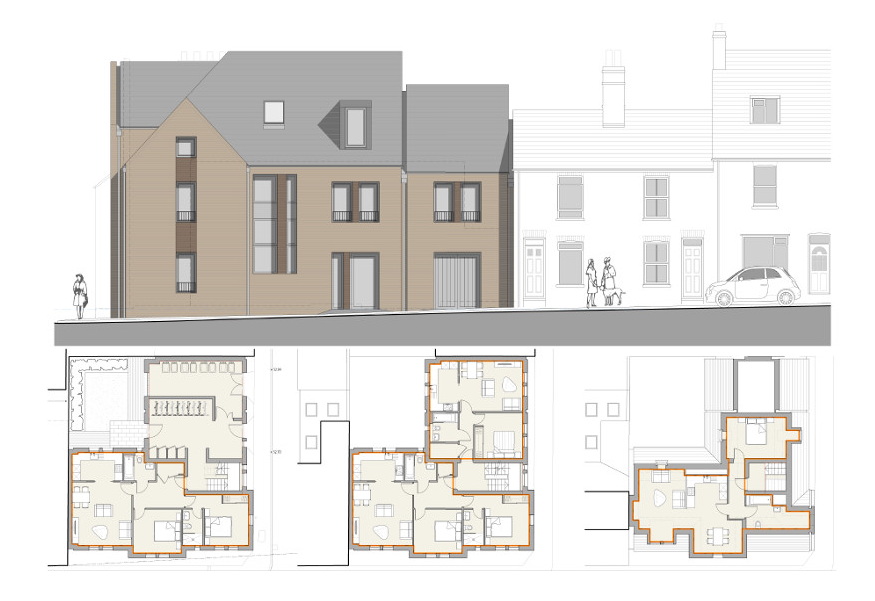
Getting Started with Caddie is the first online training course originally developed in 2016 and updated in 2021. It is our most popular course within the Caddie Basics category. It is aimed at new users to get you set up and drawing as soon as you have downloaded your software without having to wait to attend a face to face course.
If you are an existing Caddie user you will also find the course useful to refresh or extend your knowledge and skills to get the best out of all of the features in the software.
Once you have paid and enrolled you will have 12 weeks to complete the course. You will be able to study anytime and any place that you have an internet connection and Caddie running. Once you have successfully completed and received a certificate for the course you will have unlimited access to revisit the course.
Click on each module title, watch the video and then answer the questions to complete each lesson. Some of the modules have more than one lesson and practical exercises to complete using Caddie. You must work through each of the modules and lessons sequentially, to complete the course.
To gain a Certificate of Achievement, each module and the accompanying exercises and questions must be completed. There is a pass mark of 75% and a minimum length of time to spend in each lesson.

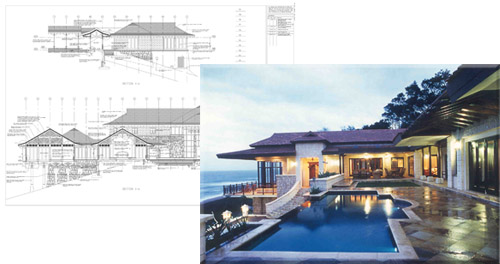
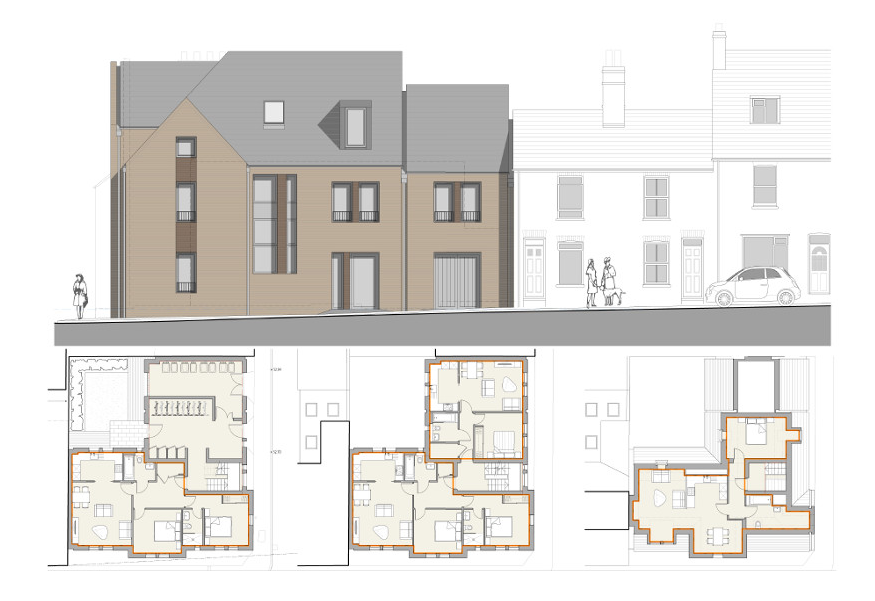
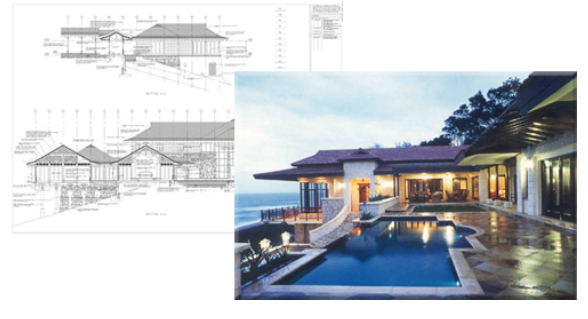
Caddie Architectural provides you with the tools you need to make the most of the time you get to design. Whether you want to create a 3D building model, viewing your design from every conceivable angle, or simply produce a set of plans, sections and elevations in a fraction of the time it would take to draw line-by-line, Caddie Architectural makes it easy to produce the drawings you need to satisfy clients, planners and building control.
Getting Started with AEC covers the basics from inserting walls, windows, floors and doors to roofs, stairs and railings as well as presenting your finished model. It is aimed at users who want to progress from 2D to 3D or existing Caddie users who want to refresh or extend their knowledge and skills to get the best out of all of the features in the software.
Drawing a single storey house using Caddie’s AEC Build tools, one simply draws out the plan adding furniture, text, dimensions and so on as if one is using lines to produce your drawing. However when it comes to multi-storey buildings, then it is worth considering structuring your drawings to enable easy working and display of objects on a floor-by-floor basis.
When using Caddie’s AEC Build tools, we have the ability to generate elevations straight from our building models. In order to make full use of this ability to auto-generate 2D content we can ‘stack’ our floor plans as they would be in the finished building, i.e. one floor on top of another, then produce the elevations and sections from this ‘stacked’ model.
Caddie is a complete 3D system, everything that is drawn is drawn in a 3D environment. When we treat this as a 2D system and all that we required is “Flat plans and elevations”, we just use the co-ordinates X and Y. To use the 3D element we now start using the height co-ordinate “Z”.
Everything that has previously been learnt in Caddie to draw 2D plans is still very relevant when drawing 3D objects. There are in addition many more commands that allow the ease of drawing and manipulation of 3D objects.
Once you have enrolled you will have 12 weeks to complete the course. You will be able to study anytime and anyplace that you have an internet connection and Caddie running. Once you have successfully completed and received a certificate for the course you will have unlimited access to revisit the course.
Click on each module title, watch the video and then answer the questions to complete each lesson. Some of the modules have more than one lesson and practical exercises to complete using Caddie. You must work through each of the modules and lessons sequentially, to complete the course.
To gain a Certificate of Achievement, each module and the accompanying exercises and questions must be completed. There is a pass mark of 75% and a minimum length of time to spend in each lesson.

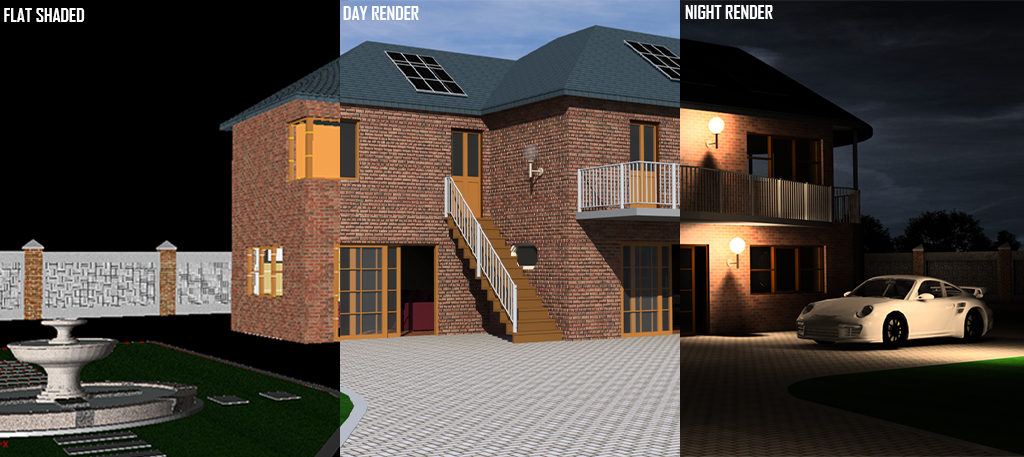
Visual Image Output (Vio) photorealistic rendering is the third course within the Caddie 'Specialist Application' category of online courses.
It is aimed at users who are competent with drawing using Caddie software and are wanting to quickly and easily create high quality 3D renderings from existing Caddie 3D models or any other DWG or DXF files.
During the course you will learn to attach materials to objects, manipulate and store views, define natural and artificial lighting and create photorealistic images from 3D models. You will also learn how to use Caddie Vio to perform quick and easy sun studies complete with accurate shadows from your 3D models
Once you have enrolled you will have 12 weeks to complete the course. You will be able to study anytime and anyplace that you have an internet connection and Caddie running. Once you have successfully completed and received a certificate for the course you will have unlimited access to revisit the course.
Click on each module title, watch the video and then answer the questions to complete each lesson. Some of the modules have more than one lesson and practical exercises to complete using Caddie. You must work through each of the modules and lessons sequentially, to complete the course.
To gain a Certificate of Achievement, each module and the accompanying exercises and questions must be completed. There is a pass mark of 75% and a minimum length of time to spend in each lesson.


Caddie Survey Application is the first course within the Caddie 'Specialist Application' category of online courses. It is aimed at users who are competent with drawing using Caddie software and have a reasonable understanding of the principles and terminology of surveying.
You can set your surveyor mode, place coordinates, draw by polar or survey coordinates, add join text, insert survey points, coordinate import and export, import GPS coordinates, load satellite images and use survey and GPS measure tools.
The Caddie Survey online training will support you to get the best out of the features, without having to wait to attend a face to face course.
Successful completion of the Caddie Basic Online training course, Caddie Basic classroom course or the equivalent self-taught experience should be viewed as a minimum requirement.
Once you have enrolled you will have 4 weeks to complete the course. You will be able to study anytime and anyplace that you have an internet connection and Caddie running. Once you have successfully completed and received a certificate for the course you will have unlimited access to revisit the course.
Click on each module title, watch the video and then answer the questions to complete each lesson. Some of the modules have more than one lesson and practical exercises to complete using Caddie. You must work through each of the modules and lessons sequentially, to complete the course.
To gain a Certificate of Achievement, each module and the accompanying exercises and questions must be completed. There is a pass mark of 75% and a minimum length of time to spend in each lesson.
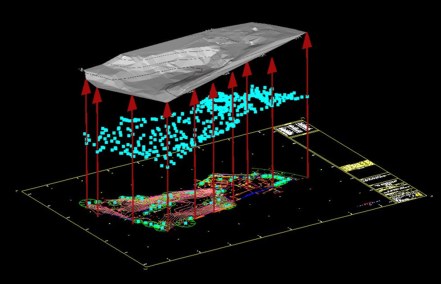
The Caddie Digital Terrain Modelling Application is the second course within the Caddie 'Specialist Application' category of online courses. It is aimed at users who are competent with drawing using Caddie software and have a reasonable understanding of the principles behind terrain modelling.
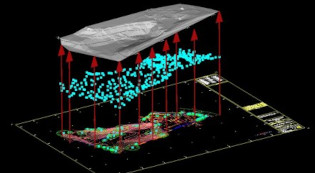
For anyone involved in Civil Engineering, Surveying or the Construction Industry dealing with real world sites where levels can be anything but flat, Caddie's Digital Terrain Modelling Application (DTM) provides the perfect tool for preparing the site models, sections and contours needed to fully develop a scheme.
With Caddie DTM you can create 3D site models and multiple sections quickly, viewing your sites from any angle to get a better appreciation of the opportunities and challenges they offer. Even draping images such as aerial photographs to view site features.
The Caddie DTM online training will support you to get the best out of the features, so you can be modelling and sectioning your sites in minutes without having to wait to attend a face to face course.
Successful completion of the Caddie Basic Online training course, Caddie Basic classroom course or the equivalent self-taught experience should be viewed as a minimum requirement.
Once you have enrolled you will have 4 weeks to complete the course. You will be able to study anytime and anyplace that you have an internet connection and Caddie running. Once you have successfully completed and received a certificate for the course you will have unlimited access to revisit the course.
Click on each module title, watch the video and then answer the questions to complete each lesson. Some of the modules have more than one lesson and practical exercises to complete using Caddie. You must work through each of the modules and lessons sequentially, to complete the course.
To gain a Certificate of Achievement, each module and the accompanying exercises and questions must be completed. There is a pass mark of 75% and a minimum length of time to spend in each lesson.
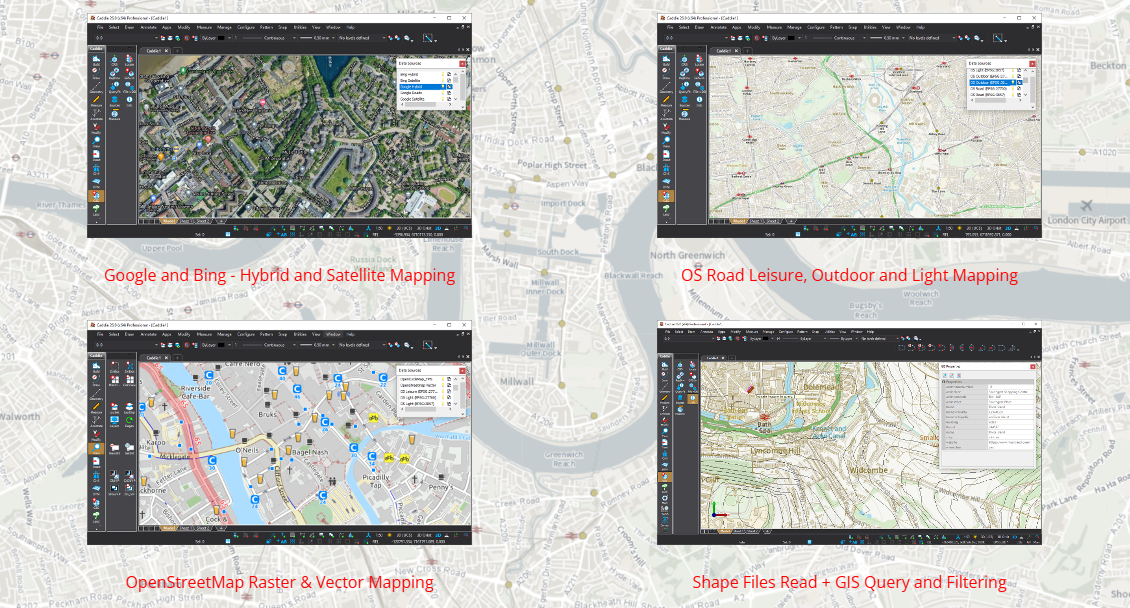
Caddie Geographic Information System is the fourth course within the Caddie 'Specialist Application' category of online courses.
It is aimed at users who are competent with drawing using Caddie software and want to incorporate spatial data such as mapping, local services and infrastructure into their drawings, as well as using Caddie to manage and populate GIS data sources.
During the course you will learn to:
- Understand Caddie's use of coordinate reference systems.
- Combine available vector and raster GIS information with your own drawings and models.
- Convert between coordinate systems.
- Measure and interrogate locations using different Coordinate Reference Systems.
- Query, update, edit and manage properties and attributes of data sources.
- Create GIS databases.
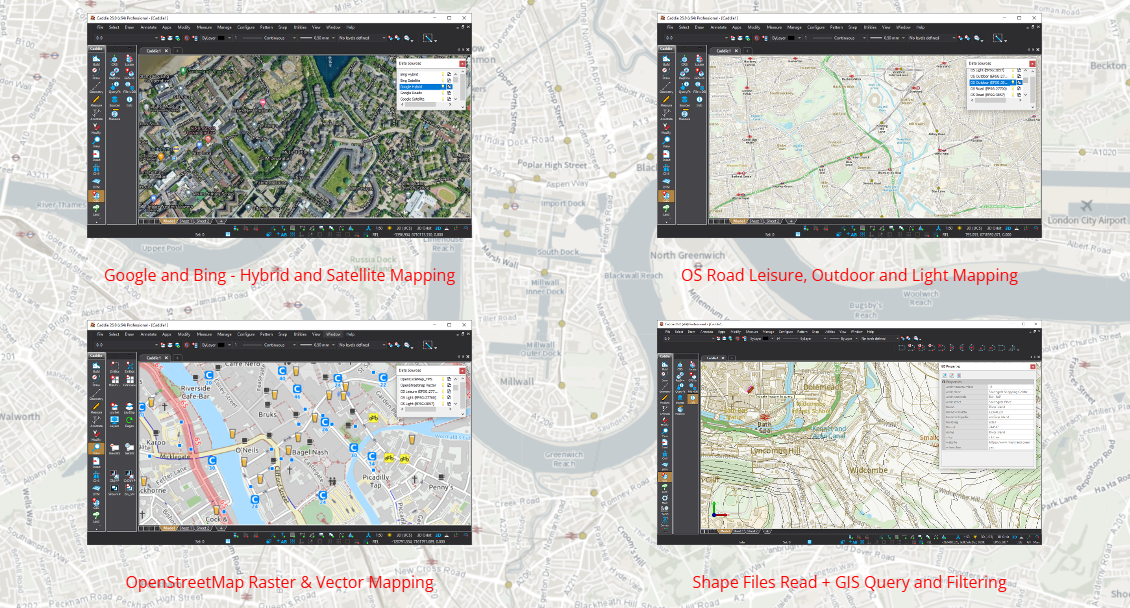
- Stream Google, Bing, OpenStreetMap and Ordnance Survey raster tiles directly into your CAD drawings.
- Read vector SHP files direct, or add data sources to your own local, or Cloud Databases to minimise online storage costs.
- Combine data sources to construct that comprehensive appraisal of a location or area based on the latest information available.
Once you have enrolled you will have access to the course for the duration of your Caddie GIS Licence or a minimum of 12 weeks from your enrolment date. You will be able to study anytime and anyplace that you have an internet connection and Caddie running. Once you have successfully completed and received a certificate for the course you will have unlimited access to revisit the course.
Click on each module title, watch the video and then answer the questions to complete each lesson. Some of the modules have more than one lesson and practical exercises to complete using Caddie. You must work through each of the modules and lessons sequentially, to complete the course.
To gain a Certificate of Achievement, each module and the accompanying exercises and questions must be completed. There is a pass mark of 75% and a minimum length of time to spend in each lesson.

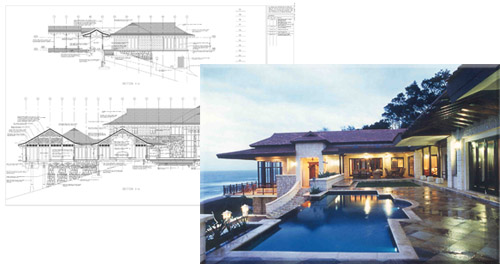
The Advanced Architectural, Engineering and Construction (AEC) course is aimed at experienced Caddie users who want to extend their knowledge and skills rather than relying on the pre-defined AEC objects and styles that come shipped with Caddie software.
The Advanced AEC course builds on the knowledge learnt from the basic AEC course.
On successful completion of the course, you should be able to create and manage your own objects and styles, enabling you to build models that contain true depictions of the real world components in your schemes, with both 2D and 3D representations configured to show exactly the detail you require.
The Advanced AEC course is divided into the following nineteen modules:
- Fundamentals for Successful Working with Advanced AEC Objects - lessons within this module are optional
- Walls
- Windows, Doors, DWAs and Openings
- Slabs
- Roofs and Roof Slabs
- Stairs
- Handrails and Railings
- Mass Elements
- Structural Members
- Curtain Walls
- Spaces
- Plans, Sections and Elevations
- Levels
- Calculating Quantities and Scheduling
- Display Configurations
- AEC Dimension Group
- Materials
- Catalogue
- Presenting Your Mode

Once you have purchased and been enrolled you will have unlimited access to complete the course as there is no enrolment expiry. This course is designed to be a continual resource that can be accessed as a topic of interest is relevant to you. However if you want to gain accreditation and CPD points then the whole course will need to be completed.
You will be able to study anytime and anyplace that you have an internet connection and Caddie running. Once you have purchased the course you will have unlimited access to access the course.